




热门!可信产品
Undetected
 Bodycam
 WarDogs
 Mistfall: Hunter
 Escape from Tarkov: Arena
 The Division 2
 Oxide Survival - Rust Mobile
 GeoGuessr
 Enlistod
 Stella Sora
 Arknights: Endfield
 Honkai Star Rail
 Blue Archive
 Zenless Zone Zero
 Neverness to Everness
 Meccha Chameleon
 Remote DMA | RDMA
 Rust Pirate Alkad
 Russian Fishing 4
 Marathon
 Sea of Thieves
 Standoff 2
 War Tundra
 PUBG Black Budget
 Path of Exile 2
 Path of Exile
 Foxhole
 Minecraft
 Active Matter
 Arena Breakout Mobile
 Roblox
 Dead by Daylight
 Delta Force Mobile
 Arma Reforger
 Battlefield 6
 Deadside
 Rainbow Six Siege
 Dune Awakening
 Arma 3
 Arc Raiders
 Fortnite
 Neural Cheat
 Marvel Rivals
 Albion Online
 Genshin Impact
 PUBG Mobile
 Warface
 COD: Black Ops 6
 Deadlock
 GTA 5
GTA 5 CS2
CS2 Dota 2
 Unturned
 The Finals
 Hunt: Showdown
 COD: MW3 - WZ
 PUBG
PUBG Squad
Squad Lost Light
 Game Spoofer
 Stalcraft
 Valorant
 Escape from Tarkov
 Delta Force
 Apex Legends
 DayZArena Breakout
 Rust
Rust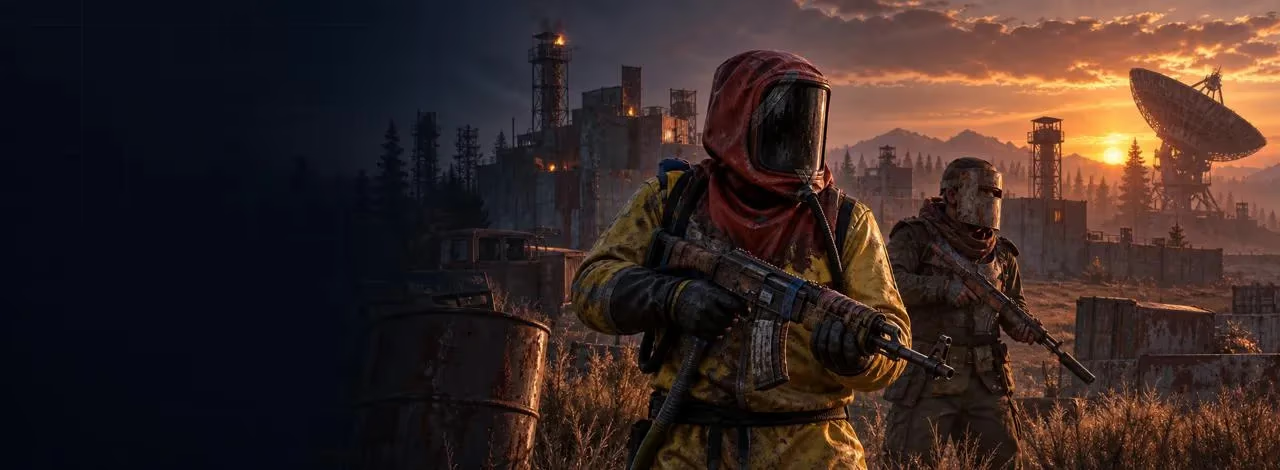

Mason x Matrix Rust Internal
Undetected
The Mason x Matrix Internal private cheat for Rust is an ultra powerful cheat with a huge amount of functionality: AimBot, ESP, MISC and other functions that will give the game a huge potential without bans and without detection!

AIMBOT

Aimbot: Snaps onto your target (custom hotkey) / The scope is instantly aimed at the target (custom key)
PSilent: Curves projectiles towards the target (custom hotkey) / Bends projectiles towards the target (custom key)
High Grenade Prediction: Forces prediction to find a valid point from a higher angle / Calculates the point of impact of a grenade at an angle
Target Saved Position: Targets your current saved position on the map / Aims at the saved position on the map
Use Smoothing: Humanizes the aimbot / Makes pointing smoother (natural)
Use Vischeck: Only targets visible players / Only targets visible players
AutoFire: Automatically shoots when the target is hittable / Automatically shoots when the target can be hit
Hit Chance: Makes some shots miss (only with PSilent, has slider for %) / Sets the chance of hitting (for realism, works with PSilent)
Keep Target: Keeps the target locked while holding the hotkey, even if out of FOV / Holds the target even if it is out of sight
Smooth: Customizable smoothing value / Customizable smoothness of guidance
Aimbone: Choose from a range of bones to aim at (Head, Neck, Spine, Lower Spine, Pelvis, Hitscan Priority) / Choosing a bone to aim at (head, neck, spine, pelvis, etc.)
Secondary Aim Features: / Secondary Aiming Features
Secondary Aimbone: Choose a secondary bone for aiming / Additional bone for aiming
Secondary Priority: Set priority for the secondary aim bone (Head, Neck, Spine, Lower Spine, Pelvis) / Priority for the second aiming bone
Custom Projectiles: Makes projectiles hit if near the target (larger on mounted players) / Projectiles hit if near the target (increased hit area)
Legit Bullet TP: Reduces projectile size to seem more legit / Reduces projectile size for more realism
Behind Wall Calculations: Automatically calculates where PSilent should target behind objects / Automatically calculates hits behind walls
Heli Magic: Expands the helicopter hitbox / Increases the helicopter's hitbox
Desync On Keypress: Activates desync while pressing aim key / Enables desync when the aim key is pressed
Bone Override: Overrides hitbone to a selected bone / Forcibly selects a bone to hit
Heli Rotor Override: Overrides hitbone to target the weakspots of the helicopter / Aims at the vulnerable spots of the helicopter
Pierce Hitbone: Chooses hitbone for projectiles (Head, Chest, Hand, Foot, Rand, Rand Hithead) / Choosing a bone to hit (head, chest, arm, leg, etc.)
Hit Material: Select projective material (Generic, Glass, Metal, Wood, Flesh, Dirt, Snow) / Select the type of hit material (metal, wood, glass, etc.)
Override Bone: Choose override bone (Head, Chest, Hand, Foot, Rand, Rand Hithead) / Select the redefined bone (for an accurate hit)
Crosshair: Customizable crosshair with color options / Customizable sight (color, shape)
FOV: Field of View with color settings / Field of view for an aimbot with color settings
Simulate Projectile: Draws where the projectile will land / Shows the trajectory of the projectile
Predicted Marker: Draws where you need to aim to hit the target / Displays the point where you need to aim to hit
Target Snapline: Draws a snapline to the target / Draws a line from the sight to the target
Crosshair Types: Choose from Cross, Thick Cross, or Dot / Sight Types: cross, Thick Cross, Dot
Fov Value: Adjustable FOV size for aimbot / Adjustable field of view size for aimbot
Recoil: / Recoil
Recoil X: Adjust recoil in X / X-axis recoil correction
Recoil Y: Adjust recoil in Y / Recoil correction on the Y-axis
No Sway: Removes weapon sway / Removes weapon wobble
Spread: Modifies projectile spread / Adjusts the projectile spread
Spread Amount: Adjust spread (0 for no spread, 100 for max spread) / Adjust the degree of spread (0 for no, 100 for maximum)
No Weapon Bob: Removes weapon bob / Removes weapon swing
No Bolt Cycle: Shoot without bolt cycle in bolt action rifles / Shooting without reloading for bolt-action rifles
Unlock Angles: Turn while mounted (via hotkey) / Allows you to rotate when using the turret (via the key)
No Melee Punch: Removes melee punch (similar to recoil) / Removes recoil at close range
No Melee Slowdown: Removes melee slowdown when running and hitting / Removes deceleration when hitting in motion
Fast Bow: Instant bow shot on left mouse button press / Fast bow shot when pressing LMB
Instant Charge: Instantly charges compound bow (without max damage) / Instant stretch compound bow (without increased damage)
No Movement Penalty: Walk/run while charging compound bow / Ability to move while pulling bow

VISUALS
Players: Toggle player ESP with customizable color customization / Displays players (ESP) with color adjustment
Scientist: Toggle NPC visibility with color customization / Displays NPCs (scientists) with color settings
Name: Display player names / Shows the names of the players
Distance: Show distance to players / Shows distance to players
TeamID: Display Team IDs / Displays Team IDs
Box: Display corner box around players / Shows a frame around the players
View Direction: Draws the direction in which the player is looking / Shows the direction of the player's gaze
Skeleton: Show player skeleton with adjustable thickness / Displays the player's skeleton with adjustable thickness
HeldItem: Show held item for players / Shows an item in their hands
Hotbar Options: Toggle hotbar, clothing, parenting, use icons, and friendly/NPC/sleeper options / Displays inventory, clothing, NPC statuses, and sleeping players.
Team/Enemy: Toggle ESP for teammates and enemies with color customization and hotkey / ESP for allies and enemies with color customization and key
Wounded/Dead: Toggle ESP for wounded or dead players / Shows wounded and dead players
Sleeping: Toggle ESP for sleeping players / Shows sleeping players
Online Sleeper: Only draw a sleeping player if he is connected to the server / Displays sleepers if they are online
Dead: Draw dead players that have not respawned / Shows dead, non-respawned players
Safetone: Toggle ESP for safezone players / ESP for players in the safe zone
Outside: Draw an indicator that a player is outside / An indicator that the player is outside
OOF: Draws indicators for players out of FOV / Indicators of players out of sight
Viscolor: Customize visibility color / Adjust visibility color
Player Chams: Enable player chams with various material options (Lightning, Fire, etc.) / Enables highlighting of player models with different effects (lightning, fire, etc.)
Disable Player Culling: Disables culling for players / Cancels hiding of players outside the frame
Cham Options: Customize chams for Friendly and NPC chams / Adjusts lighting effects for allies and NPCs
Cham Colors: Adjust cham colors when selecting specific materials / Adjusting the backlight colors for the selected material
Text Spacing: Adjust spacing for player text / Adjusts the distance between texts
Player Distance: Sets the distance at which players are drawn / Adjusts the distance of the players' drawing
NPC Distance: Sets the distance at which NPCs are drawn / Adjusts the drawing distance of NPCs
WORLD / World
Disable ESP Map: Disables all ESP when map is open / Disables ESP when opening the card
Battlemode: Disables every item ESP on keypress / Disables ESP at the touch of a key
Point Of Interest: Generates a marker on the map at your saved position / Creates a marker of interest on the map
Raids: Enables ESP for raids from any distance / Enables ESP for raids from any distance
Raid Time: Adjusts the time for raid visuals / Adjusts the raid display time
Save Position: Enables ESP for your last saved position / Enables ESP for the last saved position
Save House: Enables ESP for your saved house / Enables ESP for your saved house
Clear House: Clears your saved house position / Clears the saved house
Clear Position: Clears your saved position / Clears the saved position
VEHICLES / Transport:
Patrol Heli: / Patrol helicopter
Bradley: / Bradley APC
Drones: / Drones
Cargo Ship: / Cargo ship
Minicopter: / Minicopter
Scrap Heli: / Helicopter made of scrap
Rowboat: / Boat
Submarine: / Submarine
Attack Helicopter: / Combat Helicopter
Tug Boat: / Tugboat
Pedal Bikes: / Bicycles
Motor Bikes: / Motorcycles
Vehicle Chams: Enables chams for vehicles / Vehicle lighting
Material: Choose material type for vehicle chams / Choosing the type of illumination material (lightning, fire, etc.)
Vehicle Distance: Adjusts draw distance for vehicles / Setting the distance of vehicle drawing
DEPLOYABLES / Installable objects:
Recycler: / Recycler
Cupboard: / Building cabinet
TC Options: Display options for the Cupboard (HealthBar, Upkeep, ShowID) / Cabinet display options (health, content, ID)
Stashes Unknown: / Shows hidden caches
Local Stashes: Saves the stash position / Saves the cache position
Sleeping Bag: / Sleeping Bag
RF Receiver: / RF Receiver
RF Broadcaster: / RF Transmitter
HBHF Sensor: / HBHF Motion Sensor
Seismic Sensor: / Seismic sensor
Large Battery: / Large Battery
Workbench Tier 3 / 2: / Level 2/3 Workbench
Use Cached Positions / For SamSite ESP, positions are saved in the config (similar to caches), can be displayed globally
Deployable Chams: Enables chams for deploy

LOOT
Ore Chams: Enables chams for ores / Ore illumination
Material: Choose the material type for Ore chams (e.g., Lightning, LightGlow, Flame, etc.) / Selecting the type of ore illumination (lightning, glow, flame, etc.)
Node Path: Draws a line to the closest ore enabled in ESP / Shows the line to the nearest ore
Node Distance: Adjusts the draw distance for ores / Setting the ore display distance
Hemp: / Cannabis
Stone: / Stone
Metal: / Metal
Sulfur: / Sulfur
Wood: / Tree
Diesel: / Diesel
Berry Selection: Select from various berries (BlackBerry, BlueBerry, etc.) to enable ESP / Displays berries (blueberries, blackberries, etc.)
Collectible Distance: Adjusts the draw distance for collectibles / Adjusts the display distance for collectibles
Corn: / Corn
Mushroom: / Mushrooms
Pumpkin: / Pumpkin
Potato: / Potato
Food Chams: Enables chams for food items / Highlighting food
Material: Choose the material type for Food chams (e.g., Lightning, LightGlow, Flame, etc.) / Type of illumination for food (lightning, glow, etc.)
Food Distance: Adjusts the draw distance for food items / Adjusting the distance of food drawing
Bear: / Bear
Boar: / Wild Boar
Stag: / Deer
Wolf: / The Wolf
Horse: / Horse
Shark: / Shark
Animal Chams: Enables chams for animals / Highlighting animals
Material: Choose the material type for Animal chams (e.g., Lightning, LightGlow, Flame, etc.) / Type of illumination for animals
Animal Health: Select the display type for animal health (HealthBar, HealthText) / Select the display of animal health (stripe, text)
Airdrop: / Airdrop
Locked Crate: / Closed box
Normal Crate: / Normal Crate
Military Crate: / Military Crate
Elite Crate: / Elite Crate
Tool Crate: / Toolbox
Advanced Water Crate: / Advanced Water Crate
Basic Water Crate: / Simple Water Crate
Medical Crate: / Medical Box
Food Crate: / Food Crate
Basic Crate: / Basic Crate
Normal Barrel: / Regular barrel
Oil Barrel: / Oil barrel
Container Chams: Enables chams for containers / Container illumination
Material: Choose the material type for Container chams (e.g., Lightning, LightGlow, Flame, etc.) / Type of illumination for containers
Player Corpse: / Player's corpse
Scientist Corpse: / The corpse of a scientist
Animal Corpse: / Animal corpse
Backpack: / Backpack
Dropped Items: / Dropped items
Distance: Adjusts the draw distance for dropped items / Adjusts the distance of drawing dropped items
Item Category: Choose categories for dropped items (Weapon, Construction, Items, Resources, etc.) / Categories of dropped items (weapons, resources, items, etc.)
Dropped Weapons: / Dropped weapons
Distance: Adjusts the draw distance for dropped weapons / Adjusting the distance of drawing weapons
Other Chams: Enables chams for other entities / Highlighting other objects
Material: Choose the material type for Other chams (e.g., Lightning, LightGlow, Flame, etc.) / Type of illumination for other objects

RADAR
RADAR
===========================================
EnableRadar
Draw Scientist
Draw Other Entities
Draw Cross
Adjustable color settings for the radar cross
Draw Background
Adjustable color settings for the radar background.
Draw Circles
Adjustable color settings for the radar circles.
Draw Text
Draw Direction: Displays the direction on the radar.
===========================================
INGAME RADAR
===========================================
Ingame Map Players: Displays players on the ingame map when pressing 'G' or the ingame map hotkey.
Ingame Map Scientist
Show Ingame Radar Text
Show Ingame Radar Direction
===========================================
INGAME RADAR ENTITIES
===========================================
Ingame Map LocalStashes: Displays saved local stashes on the ingame map when pressing 'G' or the ingame map hotkey.
Ingame Map Raids: Displays raids on the ingame map when pressing 'G' or the ingame map hotkey.
===========================================
RADAR MODIFICATIONS
===========================================
Radar Size
Players Length
NPC Length
Player Thickness
NPC Thicknes
Player Circle Size
NPC Circle Size
Entity Circle Size
===========================================
INGAME RADAR SLIDERS
===========================================
Map Circle Size
Entity Map Circle Size

MISC
RADAR / Radar
EnableRadar: Enables radar / Enables radar
Draw Scientist: Draws scientists on radar / Shows scientists on the radar
Draw Other Entities: Draws other entities on radar / Shows other objects on the radar
Draw Cross: Draws cross on radar / Displays the crosshair on the radar
Adjustable color settings for radar cross / Adjusting the color of the radar crosshair
Draw Background: Draw radar background / Displays the radar background
Adjustable color settings for radar background / Adjusting the background color of the radar
Draw Circles: Draw radar range circles / Shows radius circles on the radar
Adjustable color settings for radar circles / Adjusting the color of radar circles
Draw Text: Draw text on radar / Displays text on the radar
Draw Direction: Displays the direction on the radar / Displays the direction on the radar
INGAME RADAR / Built-in game Radar
Ingame Map Players: Displays players on in-game map / Shows players on the map
Ingame Map Scientist: Displays scientists on in-game map / Shows scientists on the map
Show Ingame Radar Text: Displays radar text / Shows radar text
Show Ingame Radar Direction: Displays radar direction / Displays the direction of the radar
INGAME RADAR ENTITIES / Entities on the game radar
Ingame Map LocalStashes: Displays local stashes on in-game map / Shows caches on the map
Ingame Map Raids: Displays raids on in-game map / Shows raids on the map
RADAR MODIFICATIONS / Radar Settings
Radar Size: Adjusts radar size / Adjusts the size of the radar
Players Length: Adjusts player marker length / Adjusts player marker length
NPC Length: Adjusts NPC marker length / Setting the length of the NPC marker
Player Thickness: Adjusts player marker thickness / Adjust the thickness of the player's marker
NPC Thickness: Adjusts NPC marker thickness / NPC marker thickness setting
Player Circle Size: Adjusts circle size for players / Player's circle size
NPC Circle Size: Adjusts circle size for NPC / NPC circle size
Entity Circle Size: Adjusts circle size for entities
INGAME RADAR SLIDERS / Radar Sliders
Map Circle Size: Adjusts the size of circles on the map / Adjusts the size of circles on the map
Entity Map Circle Size: Adjusts the size of entity circles / Adjusts the size of object circles
Debug Camera: Frees camera position (custom hotkey) / Unlocks camera (by key)
Instant Loot: Instantly loots items from boxes / Quickly picks up items from boxes
Instant Pickup: Instantly picks up items (e.g., doors, boxes) / Quickly picks up items from the ground
Replace Door: Replaces current door with one in your hand / Instantly replaces the door from your hand
Fast Place: Reduces placement time for high walls / Speeds up the installation of high walls
Instant Revive: Instantly revives players / Instantly revives players
Revive Options: Everyone or Friends Only / Revive Options: Everyone or Friends Only
Suicide: Breaks legs to suicide (custom hotkey) / Suicide by broken legs
Open Crates: Opens unopened crates / Opens unopened mailboxes
No Spike/Landmine Collision: Walk on traps without damage / Allows you to walk on mines without damage
Anti Violations: Prevents generating violations / Blocks anti-cheat violations
Violation Options: Flyhack, Noclip, Speed, etc. / Protection Options: flight, passing through walls, Speed
Bar Type: Pulsating, Normal, Segmented, Circle / Indicator Type: Pulsating, Normal, Circular
Anti AFK: Prevents AFK kick / Prevents departure by AFK
Flyhack: Fly with WASD key (adjustable speed) / Key-controlled flight (speed adjustable)
Disable Collisions: Clip through objects / Passing through objects
Interactive Noclip: Move anywhere with noclip (adjustable speed) / Free movement without collisions
Teleport: Teleports 5 meters up/down / Teleport 5 meters up/down
Omni Sprint: Sprint in any direction / Running in all directions
On Ladder: Shows when on ladder / Displays the status when you are on the stairs
Dick Mode: Puts you into ground on others’ screens (invisible) / Makes your character invisible (digs into the ground)
Walk on Water: Lets you walk on water / Lets you walk on water
Infinite Jump: Jump anytime / Endless jumps
Spinbot: Automatically spins you (adjustable speed) / Rotates the character at a preset speed
No Fall: No fall damage / No fall damage
No Collision: Walk through players / Passing through players
No Drag: Walk through spikes/fire without slowdown / Passing through thorns and fire without slowing down
No Minigun Spinup: Shoot minigun instantly / Instant minigun shot without promotion
Weapon Spammer: Plays shooting animation (hotkey) / Key Shot Spam
Spam Speed: Adjusts spam speed / Spam speed settings
Eoka Modifications: Modifies Eoka hitchance / Adjusts Eoka accuracy
Eoka Mode: Legit, Rage, or NeverHit / Eoka Mode: Realistic, Furious, Miss
Success Fraction: Adjusts success rate / Adjusts success rate
Projectile Speed: Changes projectile speed / Changes projectile speed
Speed: Adjusts speed value / Adjusts the speed value
Full Auto: Makes gun fully automatic / Makes gun fully automatic
Can Shoot: Shoot while swimming, climbing, etc. / The ability to shoot in the water or on the stairs
Aim in Mountable: Aiming in mounted vehicles / Aiming in vehicles
Custom Melee Effects: Changes hit effects for melee / Changes melee strike effects
Effect Type : Glass, Water, Tree, Flesh, Metal, Dirt / Effect Type: Glass, Water, Wood, Body, Metal, Dirt
Melee Players: Automatically hits players / Automatically hits players in melee
Melee Bone: Head, Chest, Hand, Foot, Rand, Rand NoHead / Melee strike dice (head, chest, etc.)
Melee Trees: Automatically hits trees / Automatically cuts down trees
Fast Auto Heal / Playback of treatment animation
Melee Ores: Automatically hits ores / Automatically mines ore
Melee Helicopter: Hits helicopter with extended range / Hits helicopter with extended range
Auto Strike: Automatically strikes when near target / Automatic strike when approaching
BruteForce Codelocks / Automatically iterates through the codes in the optimal order for the database code raid
Silent Mode: Silent melee mode (use at own risk) / Silent melee mode (at your own risk)

OTHER
Auto Upgrade: Automatically upgrades the building you are looking at / Automatically improves the building you are looking at
From Grade: Chooses the starting upgrade tier / Selects the initial level of improvement
To Grade: Chooses the destination upgrade tier / Selects the final level of improvement
Auto Reel Fish: Automatically reels the fish in for you / Automatically reels the fish in
Auto Cast Rod: Automatically casts the rod / Automatically casts the rod
Legit Mode: Allows slower, more legitimate fishing / Realistic fishing mode (slow motion)
Visualize Tension: Displays the tension of the fishing line / Shows the tension of the fishing line
Auto Deposit Fish: Automatically deposits fish into selected boxes / Automatically puts fish into selected boxes
Auto Deposit Broken Rods: Automatically deposits broken rods / Adds broken fishing rods
Auto Loot Rods: Automatically lots a rod from the box / Takes a fishing rod out of the box if necessary
Auto Reload Bait: Automatically reloads bait in the rod / Automatically baits
Auto Heal: Automatically heals when health is low / Automatically heals when health is low
Auto Drink: Automatically drinks water when thirsty / Automatically drinks water when thirsty
Spam Torch: Toggles the torch on/off instantly/ Instantly turns on/off the torch
Auto Collect: Automatically collects entities / Automatically collects items
Auto Eat: Automatically eats collectibles / Automatically eats collectibles
Collect Options: Allows selection of collectible items (Hemp, Stone, Metal, etc.) / Allows you to choose which items to collect (hemp, metal, stone, etc.)
Auto Reply: Automatically responds to chat messages (requires API) / Automatically responds to chat messages (if API is available)
AUTOMATIONS 2 / Automations 2
Stack Items: Automatically crafts items from dropdown selection / Automatically crafts selected items (by hotkey)
Stack Options: Selects items to stack (Metal, Wood, Stone) / Selection of crafting items (metal, wood, stone)
Auto Loot: Automatically loots containers based on selected items / Automatically loots containers with selected items
Silent Loot: Loots containers silently / Silent loot without interface
Lootables: Items that can be looted (Weapons, Resources, Ammo) / Loot items (weapons, ammo, resources)
Auto Lock: Automatically locks nearby code locks / Automatically closes locks nearby
Steal Unlocked: Steals code by changing it when other player unlocks / Copies the lock code when it is opened by another player
Auto Auth: Automatically authorizes on nearby cupboards / Automatically authorizes in cupboards
Cancel Crafting: Cancels active crafting timers / Cancels crafting
Reset Crafting: Resets crafting timers / Resets crafting timers
Drop Inventory: Drops all inventory when hotkey is pressed / Drops all inventory by key
Drop Container: Drops items from the container that you loot/Dump the contents of the container
Refill Jackhammer: Refills jackhammer when near workbench / Automatically repairs the hammer drill near the workbench
Keep In Handcuffs: Keeps players in handcuffs / Keeps players in handcuffs
Steal Players: Mounts nearby players to your vehicle / Puts players in your vehicle
Instant Handcuff Release: Instantly uncuffs player / Quickly removes handcuffs
Spam Handcuffs: Emits sound when player in handcuffs / Emits sound when player in handcuffs
Load Config: Choose config to load from list / Selects configuration from list
Rage Config: / Rage Configuration
Legit Config: / Realistic configuration
SemiRage Config: / Semirage configuration
Extra Config: / Additional configuration
Extra Config 1 / 2 / 3 : / Additional configurations 1, 2, 3
LOAD Button: Load selected config / Loads the selected configuration
SAVE Button: Save selected config / Saves the current configuration
Configuration Status: Displays current configuration / Shows which configuration is active
Font Settings: / Font Settings
Current Font: Choose between fonts / Font selection
Player Font Size: Select font size for players / Font size for players
Entity Font Size: Select font size for entities / Font size for objects
Warnings Font Size: Select font size for warnings / Warnings font size
Menu Key: Bind the hotkey for menu / Bind the key to open the menu
Menu Scale: Adjust menu scale (100-150%) / Menu scale (100-150%)
Displays favorited functions / Displays your favorite functions
Sliders: / Sliders
Dropdowns: / Drop-down lists
Full Panels: / Full Panels
Full Sub Panels: / Nested Panels
Toggles: / Switches
Processor: INTEL / AMD (Xeon & FX not guarantee supported)
OS: Windows 10 / Windows 11 [All Version]
Game mode: All
Flash: Required
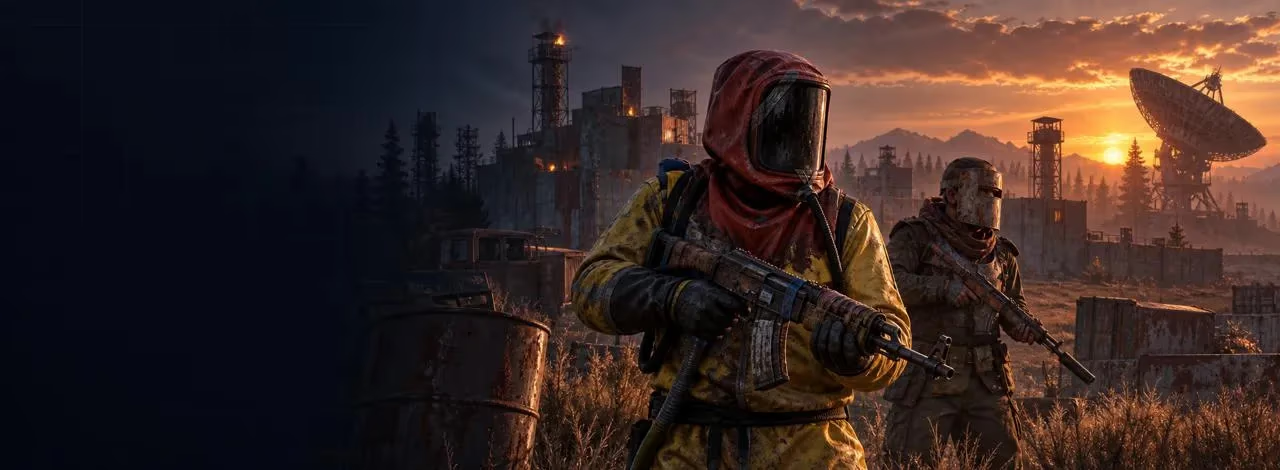

Mason x Matrix Rust Internal
Undetected
支付
点击按钮即表示您同意购买规则
The Mason x Matrix Internal private cheat for Rust is an ultra powerful cheat with a huge amount of functionality: AimBot, ESP, MISC and other functions that will give the game a huge potential without bans and without detection!
AIMBOT
Aimbot: Snaps onto your target (custom hotkey) / The scope is instantly aimed at the target (custom key)
PSilent: Curves projectiles towards the target (custom hotkey) / Bends projectiles towards the target (custom key)
High Grenade Prediction: Forces prediction to find a valid point from a higher angle / Calculates the point of impact of a grenade at an angle
Target Saved Position: Targets your current saved position on the map / Aims at the saved position on the map
Use Smoothing: Humanizes the aimbot / Makes pointing smoother (natural)
Use Vischeck: Only targets visible players / Only targets visible players
AutoFire: Automatically shoots when the target is hittable / Automatically shoots when the target can be hit
Hit Chance: Makes some shots miss (only with PSilent, has slider for %) / Sets the chance of hitting (for realism, works with PSilent)
Keep Target: Keeps the target locked while holding the hotkey, even if out of FOV / Holds the target even if it is out of sight
Smooth: Customizable smoothing value / Customizable smoothness of guidance
Aimbone: Choose from a range of bones to aim at (Head, Neck, Spine, Lower Spine, Pelvis, Hitscan Priority) / Choosing a bone to aim at (head, neck, spine, pelvis, etc.)
Secondary Aim Features: / Secondary Aiming Features
Secondary Aimbone: Choose a secondary bone for aiming / Additional bone for aiming
Secondary Priority: Set priority for the secondary aim bone (Head, Neck, Spine, Lower Spine, Pelvis) / Priority for the second aiming bone
Custom Projectiles: Makes projectiles hit if near the target (larger on mounted players) / Projectiles hit if near the target (increased hit area)
Legit Bullet TP: Reduces projectile size to seem more legit / Reduces projectile size for more realism
Behind Wall Calculations: Automatically calculates where PSilent should target behind objects / Automatically calculates hits behind walls
Heli Magic: Expands the helicopter hitbox / Increases the helicopter's hitbox
Desync On Keypress: Activates desync while pressing aim key / Enables desync when the aim key is pressed
Bone Override: Overrides hitbone to a selected bone / Forcibly selects a bone to hit
Heli Rotor Override: Overrides hitbone to target the weakspots of the helicopter / Aims at the vulnerable spots of the helicopter
Pierce Hitbone: Chooses hitbone for projectiles (Head, Chest, Hand, Foot, Rand, Rand Hithead) / Choosing a bone to hit (head, chest, arm, leg, etc.)
Hit Material: Select projective material (Generic, Glass, Metal, Wood, Flesh, Dirt, Snow) / Select the type of hit material (metal, wood, glass, etc.)
Override Bone: Choose override bone (Head, Chest, Hand, Foot, Rand, Rand Hithead) / Select the redefined bone (for an accurate hit)
Crosshair: Customizable crosshair with color options / Customizable sight (color, shape)
FOV: Field of View with color settings / Field of view for an aimbot with color settings
Simulate Projectile: Draws where the projectile will land / Shows the trajectory of the projectile
Predicted Marker: Draws where you need to aim to hit the target / Displays the point where you need to aim to hit
Target Snapline: Draws a snapline to the target / Draws a line from the sight to the target
Crosshair Types: Choose from Cross, Thick Cross, or Dot / Sight Types: cross, Thick Cross, Dot
Fov Value: Adjustable FOV size for aimbot / Adjustable field of view size for aimbot
Recoil: / Recoil
Recoil X: Adjust recoil in X / X-axis recoil correction
Recoil Y: Adjust recoil in Y / Recoil correction on the Y-axis
No Sway: Removes weapon sway / Removes weapon wobble
Spread: Modifies projectile spread / Adjusts the projectile spread
Spread Amount: Adjust spread (0 for no spread, 100 for max spread) / Adjust the degree of spread (0 for no, 100 for maximum)
No Weapon Bob: Removes weapon bob / Removes weapon swing
No Bolt Cycle: Shoot without bolt cycle in bolt action rifles / Shooting without reloading for bolt-action rifles
Unlock Angles: Turn while mounted (via hotkey) / Allows you to rotate when using the turret (via the key)
No Melee Punch: Removes melee punch (similar to recoil) / Removes recoil at close range
No Melee Slowdown: Removes melee slowdown when running and hitting / Removes deceleration when hitting in motion
Fast Bow: Instant bow shot on left mouse button press / Fast bow shot when pressing LMB
Instant Charge: Instantly charges compound bow (without max damage) / Instant stretch compound bow (without increased damage)
No Movement Penalty: Walk/run while charging compound bow / Ability to move while pulling bow
VISUALS
Players: Toggle player ESP with customizable color customization / Displays players (ESP) with color adjustment
Scientist: Toggle NPC visibility with color customization / Displays NPCs (scientists) with color settings
Name: Display player names / Shows the names of the players
Distance: Show distance to players / Shows distance to players
TeamID: Display Team IDs / Displays Team IDs
Box: Display corner box around players / Shows a frame around the players
View Direction: Draws the direction in which the player is looking / Shows the direction of the player's gaze
Skeleton: Show player skeleton with adjustable thickness / Displays the player's skeleton with adjustable thickness
HeldItem: Show held item for players / Shows an item in their hands
Hotbar Options: Toggle hotbar, clothing, parenting, use icons, and friendly/NPC/sleeper options / Displays inventory, clothing, NPC statuses, and sleeping players.
Team/Enemy: Toggle ESP for teammates and enemies with color customization and hotkey / ESP for allies and enemies with color customization and key
Wounded/Dead: Toggle ESP for wounded or dead players / Shows wounded and dead players
Sleeping: Toggle ESP for sleeping players / Shows sleeping players
Online Sleeper: Only draw a sleeping player if he is connected to the server / Displays sleepers if they are online
Dead: Draw dead players that have not respawned / Shows dead, non-respawned players
Safetone: Toggle ESP for safezone players / ESP for players in the safe zone
Outside: Draw an indicator that a player is outside / An indicator that the player is outside
OOF: Draws indicators for players out of FOV / Indicators of players out of sight
Viscolor: Customize visibility color / Adjust visibility color
Player Chams: Enable player chams with various material options (Lightning, Fire, etc.) / Enables highlighting of player models with different effects (lightning, fire, etc.)
Disable Player Culling: Disables culling for players / Cancels hiding of players outside the frame
Cham Options: Customize chams for Friendly and NPC chams / Adjusts lighting effects for allies and NPCs
Cham Colors: Adjust cham colors when selecting specific materials / Adjusting the backlight colors for the selected material
Text Spacing: Adjust spacing for player text / Adjusts the distance between texts
Player Distance: Sets the distance at which players are drawn / Adjusts the distance of the players' drawing
NPC Distance: Sets the distance at which NPCs are drawn / Adjusts the drawing distance of NPCs
WORLD / World
Disable ESP Map: Disables all ESP when map is open / Disables ESP when opening the card
Battlemode: Disables every item ESP on keypress / Disables ESP at the touch of a key
Point Of Interest: Generates a marker on the map at your saved position / Creates a marker of interest on the map
Raids: Enables ESP for raids from any distance / Enables ESP for raids from any distance
Raid Time: Adjusts the time for raid visuals / Adjusts the raid display time
Save Position: Enables ESP for your last saved position / Enables ESP for the last saved position
Save House: Enables ESP for your saved house / Enables ESP for your saved house
Clear House: Clears your saved house position / Clears the saved house
Clear Position: Clears your saved position / Clears the saved position
VEHICLES / Transport:
Patrol Heli: / Patrol helicopter
Bradley: / Bradley APC
Drones: / Drones
Cargo Ship: / Cargo ship
Minicopter: / Minicopter
Scrap Heli: / Helicopter made of scrap
Rowboat: / Boat
Submarine: / Submarine
Attack Helicopter: / Combat Helicopter
Tug Boat: / Tugboat
Pedal Bikes: / Bicycles
Motor Bikes: / Motorcycles
Vehicle Chams: Enables chams for vehicles / Vehicle lighting
Material: Choose material type for vehicle chams / Choosing the type of illumination material (lightning, fire, etc.)
Vehicle Distance: Adjusts draw distance for vehicles / Setting the distance of vehicle drawing
DEPLOYABLES / Installable objects:
Recycler: / Recycler
Cupboard: / Building cabinet
TC Options: Display options for the Cupboard (HealthBar, Upkeep, ShowID) / Cabinet display options (health, content, ID)
Stashes Unknown: / Shows hidden caches
Local Stashes: Saves the stash position / Saves the cache position
Sleeping Bag: / Sleeping Bag
RF Receiver: / RF Receiver
RF Broadcaster: / RF Transmitter
HBHF Sensor: / HBHF Motion Sensor
Seismic Sensor: / Seismic sensor
Large Battery: / Large Battery
Workbench Tier 3 / 2: / Level 2/3 Workbench
Use Cached Positions / For SamSite ESP, positions are saved in the config (similar to caches), can be displayed globally
Deployable Chams: Enables chams for deploy
LOOT
Ore Chams: Enables chams for ores / Ore illumination
Material: Choose the material type for Ore chams (e.g., Lightning, LightGlow, Flame, etc.) / Selecting the type of ore illumination (lightning, glow, flame, etc.)
Node Path: Draws a line to the closest ore enabled in ESP / Shows the line to the nearest ore
Node Distance: Adjusts the draw distance for ores / Setting the ore display distance
Hemp: / Cannabis
Stone: / Stone
Metal: / Metal
Sulfur: / Sulfur
Wood: / Tree
Diesel: / Diesel
Berry Selection: Select from various berries (BlackBerry, BlueBerry, etc.) to enable ESP / Displays berries (blueberries, blackberries, etc.)
Collectible Distance: Adjusts the draw distance for collectibles / Adjusts the display distance for collectibles
Corn: / Corn
Mushroom: / Mushrooms
Pumpkin: / Pumpkin
Potato: / Potato
Food Chams: Enables chams for food items / Highlighting food
Material: Choose the material type for Food chams (e.g., Lightning, LightGlow, Flame, etc.) / Type of illumination for food (lightning, glow, etc.)
Food Distance: Adjusts the draw distance for food items / Adjusting the distance of food drawing
Bear: / Bear
Boar: / Wild Boar
Stag: / Deer
Wolf: / The Wolf
Horse: / Horse
Shark: / Shark
Animal Chams: Enables chams for animals / Highlighting animals
Material: Choose the material type for Animal chams (e.g., Lightning, LightGlow, Flame, etc.) / Type of illumination for animals
Animal Health: Select the display type for animal health (HealthBar, HealthText) / Select the display of animal health (stripe, text)
Airdrop: / Airdrop
Locked Crate: / Closed box
Normal Crate: / Normal Crate
Military Crate: / Military Crate
Elite Crate: / Elite Crate
Tool Crate: / Toolbox
Advanced Water Crate: / Advanced Water Crate
Basic Water Crate: / Simple Water Crate
Medical Crate: / Medical Box
Food Crate: / Food Crate
Basic Crate: / Basic Crate
Normal Barrel: / Regular barrel
Oil Barrel: / Oil barrel
Container Chams: Enables chams for containers / Container illumination
Material: Choose the material type for Container chams (e.g., Lightning, LightGlow, Flame, etc.) / Type of illumination for containers
Player Corpse: / Player's corpse
Scientist Corpse: / The corpse of a scientist
Animal Corpse: / Animal corpse
Backpack: / Backpack
Dropped Items: / Dropped items
Distance: Adjusts the draw distance for dropped items / Adjusts the distance of drawing dropped items
Item Category: Choose categories for dropped items (Weapon, Construction, Items, Resources, etc.) / Categories of dropped items (weapons, resources, items, etc.)
Dropped Weapons: / Dropped weapons
Distance: Adjusts the draw distance for dropped weapons / Adjusting the distance of drawing weapons
Other Chams: Enables chams for other entities / Highlighting other objects
Material: Choose the material type for Other chams (e.g., Lightning, LightGlow, Flame, etc.) / Type of illumination for other objects
RADAR
RADAR
===========================================
EnableRadar
Draw Scientist
Draw Other Entities
Draw Cross
Adjustable color settings for the radar cross
Draw Background
Adjustable color settings for the radar background.
Draw Circles
Adjustable color settings for the radar circles.
Draw Text
Draw Direction: Displays the direction on the radar.
===========================================
INGAME RADAR
===========================================
Ingame Map Players: Displays players on the ingame map when pressing 'G' or the ingame map hotkey.
Ingame Map Scientist
Show Ingame Radar Text
Show Ingame Radar Direction
===========================================
INGAME RADAR ENTITIES
===========================================
Ingame Map LocalStashes: Displays saved local stashes on the ingame map when pressing 'G' or the ingame map hotkey.
Ingame Map Raids: Displays raids on the ingame map when pressing 'G' or the ingame map hotkey.
===========================================
RADAR MODIFICATIONS
===========================================
Radar Size
Players Length
NPC Length
Player Thickness
NPC Thicknes
Player Circle Size
NPC Circle Size
Entity Circle Size
===========================================
INGAME RADAR SLIDERS
===========================================
Map Circle Size
Entity Map Circle Size
MISC
RADAR / Radar
EnableRadar: Enables radar / Enables radar
Draw Scientist: Draws scientists on radar / Shows scientists on the radar
Draw Other Entities: Draws other entities on radar / Shows other objects on the radar
Draw Cross: Draws cross on radar / Displays the crosshair on the radar
Adjustable color settings for radar cross / Adjusting the color of the radar crosshair
Draw Background: Draw radar background / Displays the radar background
Adjustable color settings for radar background / Adjusting the background color of the radar
Draw Circles: Draw radar range circles / Shows radius circles on the radar
Adjustable color settings for radar circles / Adjusting the color of radar circles
Draw Text: Draw text on radar / Displays text on the radar
Draw Direction: Displays the direction on the radar / Displays the direction on the radar
INGAME RADAR / Built-in game Radar
Ingame Map Players: Displays players on in-game map / Shows players on the map
Ingame Map Scientist: Displays scientists on in-game map / Shows scientists on the map
Show Ingame Radar Text: Displays radar text / Shows radar text
Show Ingame Radar Direction: Displays radar direction / Displays the direction of the radar
INGAME RADAR ENTITIES / Entities on the game radar
Ingame Map LocalStashes: Displays local stashes on in-game map / Shows caches on the map
Ingame Map Raids: Displays raids on in-game map / Shows raids on the map
RADAR MODIFICATIONS / Radar Settings
Radar Size: Adjusts radar size / Adjusts the size of the radar
Players Length: Adjusts player marker length / Adjusts player marker length
NPC Length: Adjusts NPC marker length / Setting the length of the NPC marker
Player Thickness: Adjusts player marker thickness / Adjust the thickness of the player's marker
NPC Thickness: Adjusts NPC marker thickness / NPC marker thickness setting
Player Circle Size: Adjusts circle size for players / Player's circle size
NPC Circle Size: Adjusts circle size for NPC / NPC circle size
Entity Circle Size: Adjusts circle size for entities
INGAME RADAR SLIDERS / Radar Sliders
Map Circle Size: Adjusts the size of circles on the map / Adjusts the size of circles on the map
Entity Map Circle Size: Adjusts the size of entity circles / Adjusts the size of object circles
Debug Camera: Frees camera position (custom hotkey) / Unlocks camera (by key)
Instant Loot: Instantly loots items from boxes / Quickly picks up items from boxes
Instant Pickup: Instantly picks up items (e.g., doors, boxes) / Quickly picks up items from the ground
Replace Door: Replaces current door with one in your hand / Instantly replaces the door from your hand
Fast Place: Reduces placement time for high walls / Speeds up the installation of high walls
Instant Revive: Instantly revives players / Instantly revives players
Revive Options: Everyone or Friends Only / Revive Options: Everyone or Friends Only
Suicide: Breaks legs to suicide (custom hotkey) / Suicide by broken legs
Open Crates: Opens unopened crates / Opens unopened mailboxes
No Spike/Landmine Collision: Walk on traps without damage / Allows you to walk on mines without damage
Anti Violations: Prevents generating violations / Blocks anti-cheat violations
Violation Options: Flyhack, Noclip, Speed, etc. / Protection Options: flight, passing through walls, Speed
Bar Type: Pulsating, Normal, Segmented, Circle / Indicator Type: Pulsating, Normal, Circular
Anti AFK: Prevents AFK kick / Prevents departure by AFK
Flyhack: Fly with WASD key (adjustable speed) / Key-controlled flight (speed adjustable)
Disable Collisions: Clip through objects / Passing through objects
Interactive Noclip: Move anywhere with noclip (adjustable speed) / Free movement without collisions
Teleport: Teleports 5 meters up/down / Teleport 5 meters up/down
Omni Sprint: Sprint in any direction / Running in all directions
On Ladder: Shows when on ladder / Displays the status when you are on the stairs
Dick Mode: Puts you into ground on others’ screens (invisible) / Makes your character invisible (digs into the ground)
Walk on Water: Lets you walk on water / Lets you walk on water
Infinite Jump: Jump anytime / Endless jumps
Spinbot: Automatically spins you (adjustable speed) / Rotates the character at a preset speed
No Fall: No fall damage / No fall damage
No Collision: Walk through players / Passing through players
No Drag: Walk through spikes/fire without slowdown / Passing through thorns and fire without slowing down
No Minigun Spinup: Shoot minigun instantly / Instant minigun shot without promotion
Weapon Spammer: Plays shooting animation (hotkey) / Key Shot Spam
Spam Speed: Adjusts spam speed / Spam speed settings
Eoka Modifications: Modifies Eoka hitchance / Adjusts Eoka accuracy
Eoka Mode: Legit, Rage, or NeverHit / Eoka Mode: Realistic, Furious, Miss
Success Fraction: Adjusts success rate / Adjusts success rate
Projectile Speed: Changes projectile speed / Changes projectile speed
Speed: Adjusts speed value / Adjusts the speed value
Full Auto: Makes gun fully automatic / Makes gun fully automatic
Can Shoot: Shoot while swimming, climbing, etc. / The ability to shoot in the water or on the stairs
Aim in Mountable: Aiming in mounted vehicles / Aiming in vehicles
Custom Melee Effects: Changes hit effects for melee / Changes melee strike effects
Effect Type : Glass, Water, Tree, Flesh, Metal, Dirt / Effect Type: Glass, Water, Wood, Body, Metal, Dirt
Melee Players: Automatically hits players / Automatically hits players in melee
Melee Bone: Head, Chest, Hand, Foot, Rand, Rand NoHead / Melee strike dice (head, chest, etc.)
Melee Trees: Automatically hits trees / Automatically cuts down trees
Fast Auto Heal / Playback of treatment animation
Melee Ores: Automatically hits ores / Automatically mines ore
Melee Helicopter: Hits helicopter with extended range / Hits helicopter with extended range
Auto Strike: Automatically strikes when near target / Automatic strike when approaching
BruteForce Codelocks / Automatically iterates through the codes in the optimal order for the database code raid
Silent Mode: Silent melee mode (use at own risk) / Silent melee mode (at your own risk)
OTHER
Auto Upgrade: Automatically upgrades the building you are looking at / Automatically improves the building you are looking at
From Grade: Chooses the starting upgrade tier / Selects the initial level of improvement
To Grade: Chooses the destination upgrade tier / Selects the final level of improvement
Auto Reel Fish: Automatically reels the fish in for you / Automatically reels the fish in
Auto Cast Rod: Automatically casts the rod / Automatically casts the rod
Legit Mode: Allows slower, more legitimate fishing / Realistic fishing mode (slow motion)
Visualize Tension: Displays the tension of the fishing line / Shows the tension of the fishing line
Auto Deposit Fish: Automatically deposits fish into selected boxes / Automatically puts fish into selected boxes
Auto Deposit Broken Rods: Automatically deposits broken rods / Adds broken fishing rods
Auto Loot Rods: Automatically lots a rod from the box / Takes a fishing rod out of the box if necessary
Auto Reload Bait: Automatically reloads bait in the rod / Automatically baits
Auto Heal: Automatically heals when health is low / Automatically heals when health is low
Auto Drink: Automatically drinks water when thirsty / Automatically drinks water when thirsty
Spam Torch: Toggles the torch on/off instantly/ Instantly turns on/off the torch
Auto Collect: Automatically collects entities / Automatically collects items
Auto Eat: Automatically eats collectibles / Automatically eats collectibles
Collect Options: Allows selection of collectible items (Hemp, Stone, Metal, etc.) / Allows you to choose which items to collect (hemp, metal, stone, etc.)
Auto Reply: Automatically responds to chat messages (requires API) / Automatically responds to chat messages (if API is available)
AUTOMATIONS 2 / Automations 2
Stack Items: Automatically crafts items from dropdown selection / Automatically crafts selected items (by hotkey)
Stack Options: Selects items to stack (Metal, Wood, Stone) / Selection of crafting items (metal, wood, stone)
Auto Loot: Automatically loots containers based on selected items / Automatically loots containers with selected items
Silent Loot: Loots containers silently / Silent loot without interface
Lootables: Items that can be looted (Weapons, Resources, Ammo) / Loot items (weapons, ammo, resources)
Auto Lock: Automatically locks nearby code locks / Automatically closes locks nearby
Steal Unlocked: Steals code by changing it when other player unlocks / Copies the lock code when it is opened by another player
Auto Auth: Automatically authorizes on nearby cupboards / Automatically authorizes in cupboards
Cancel Crafting: Cancels active crafting timers / Cancels crafting
Reset Crafting: Resets crafting timers / Resets crafting timers
Drop Inventory: Drops all inventory when hotkey is pressed / Drops all inventory by key
Drop Container: Drops items from the container that you loot/Dump the contents of the container
Refill Jackhammer: Refills jackhammer when near workbench / Automatically repairs the hammer drill near the workbench
Keep In Handcuffs: Keeps players in handcuffs / Keeps players in handcuffs
Steal Players: Mounts nearby players to your vehicle / Puts players in your vehicle
Instant Handcuff Release: Instantly uncuffs player / Quickly removes handcuffs
Spam Handcuffs: Emits sound when player in handcuffs / Emits sound when player in handcuffs
Load Config: Choose config to load from list / Selects configuration from list
Rage Config: / Rage Configuration
Legit Config: / Realistic configuration
SemiRage Config: / Semirage configuration
Extra Config: / Additional configuration
Extra Config 1 / 2 / 3 : / Additional configurations 1, 2, 3
LOAD Button: Load selected config / Loads the selected configuration
SAVE Button: Save selected config / Saves the current configuration
Configuration Status: Displays current configuration / Shows which configuration is active
Font Settings: / Font Settings
Current Font: Choose between fonts / Font selection
Player Font Size: Select font size for players / Font size for players
Entity Font Size: Select font size for entities / Font size for objects
Warnings Font Size: Select font size for warnings / Warnings font size
Menu Key: Bind the hotkey for menu / Bind the key to open the menu
Menu Scale: Adjust menu scale (100-150%) / Menu scale (100-150%)
Displays favorited functions / Displays your favorite functions
Sliders: / Sliders
Dropdowns: / Drop-down lists
Full Panels: / Full Panels
Full Sub Panels: / Nested Panels
Toggles: / Switches
Processor: INTEL / AMD (Xeon & FX not guarantee supported)
OS: Windows 10 / Windows 11 [All Version]
Game mode: All
Flash: Required
常见问题